DS Techworks Solutions Pvt. Ltd., a leader in innovative tech solutions since 2007, excels in digital signage and interactive displays. They transform spaces with services like digital signage, interactive kiosks, and transparent displays. Committed to enhancing operations and engaging customers, Techworks combines technical expertise and creative ingenuity to exceed client expectations.
Problem Statement
Codify is a unified tracking system that streamlines POSM management from production to retail deployment using QR codes for real-time tracking. It provides actionable insights, reduces resource wastage, and enhances operational efficiency.
The existing POSM management process lacked end-to-end traceability, resulting in limited visibility of deployment, untracked inventory movement, and inefficiencies in resource utilization, leading to increased costs and reduced operational effectiveness.
The Problem
Before Codify, the POSM lifecycle was segmented into three disconnected stages:
POSM Production & Dispatch: POSM materials were fabricated based on requirements and dispatched from vendors to Warehouse Service Providers (WSPs).
Storage & Issuance by WSPs: Materials were stored by WSPs and issued to Warehouse Distributors (WDs).
Market Deployment by WDs: WDs deployed POSMs to retail locations, often through Team Leads (TLs) or third-party resources.
Challenges Identified:
Limited Traceability: Tracking stopped at the WSP stage, leaving no record of POSM journeys post-deployment.
Lack of Brand-Specific Insights: Deployment lacked visibility across brands.
Untracked Movement: Movement from WDs to retailers remained undocumented.
Unknown Installation Speeds: Companies had no way to monitor the time taken for POSM installation.
Neglected Maintenance: POSM longevity was untracked, complicating refurbishment efforts.
Unused Inventory Waste: Surplus inventory often went unnoticed and unused.
The Research & Design Process
1. Empathizing with Stakeholders
We conducted interviews with stakeholders, including:
Brand Managers: Struggling with the lack of brand-specific deployment data.
WSP and WD Representatives: Frustrated by inefficiencies in manual inventory tracking.
Deployment Teams: Overburdened with paperwork and tracking duties.
Key Insights:
Stakeholders required a system that provided end-to-end traceability.
Simplicity was crucial to ensure ease of adoption by deployment teams.
Solution Needed:
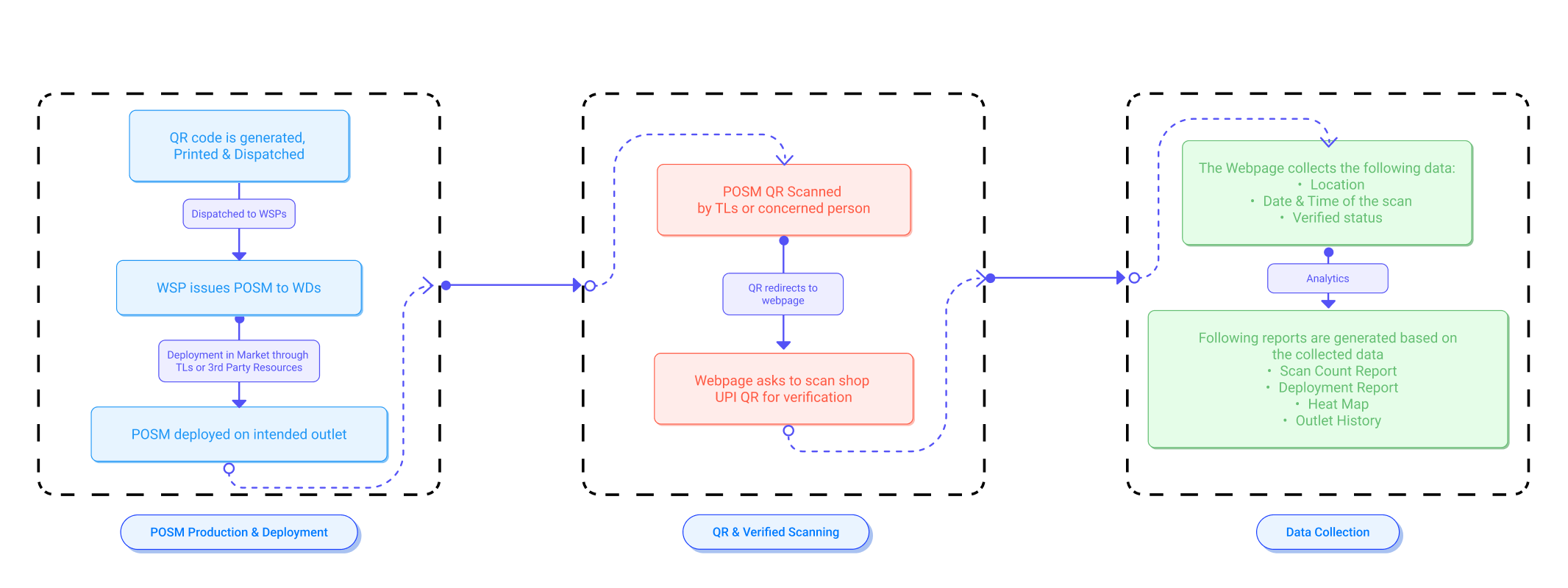
-> A Unified Tracking System to track the journey of POSM from print to last mile retail store.
Flow chart of the new process
Defining Goals
Based on insights, we set out to create a dashboard that:
Offers real-time tracking of POSM from production to deployment.
Provides brand-specific and location-specific analytics.
Simplifies the workload for deployment teams.
Ideation & Prototyping
We brainstormed solutions, ranging from RFID-based tracking to NFC tags. Ultimately, we opted for a QR code system for its simplicity, cost-effectiveness, and scalability.
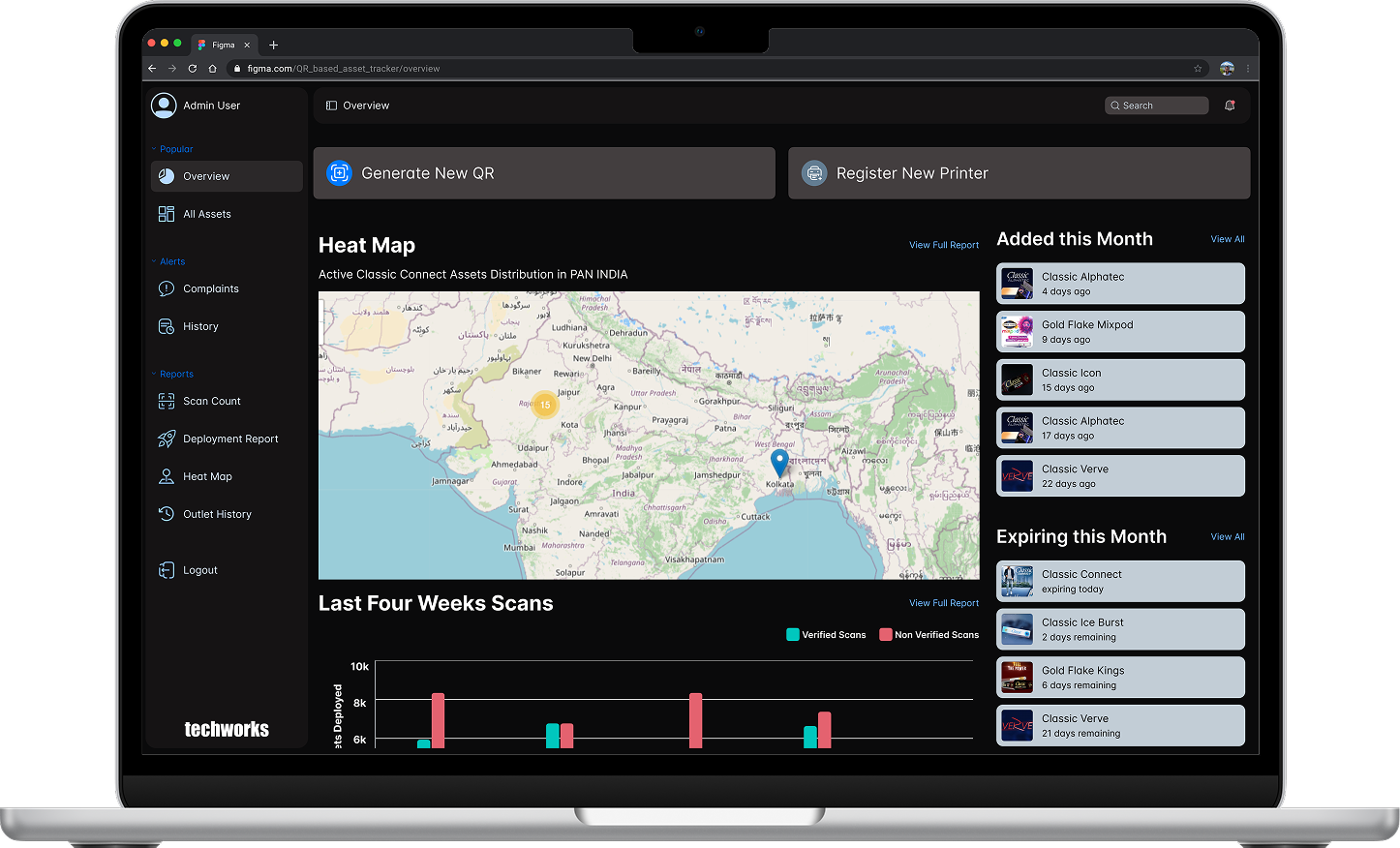
Designing the Codify Dashboard
Key features of the dashboard:
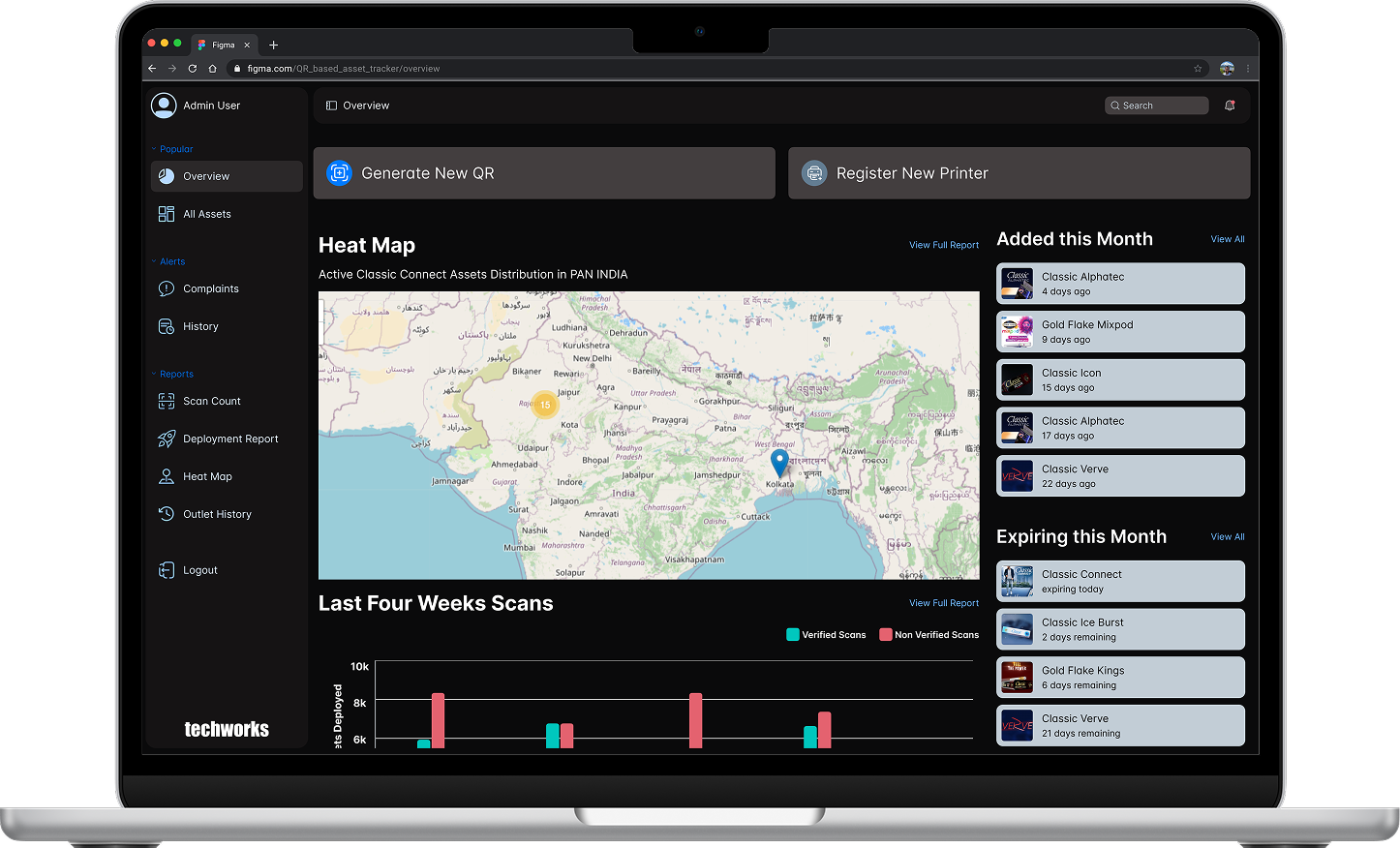
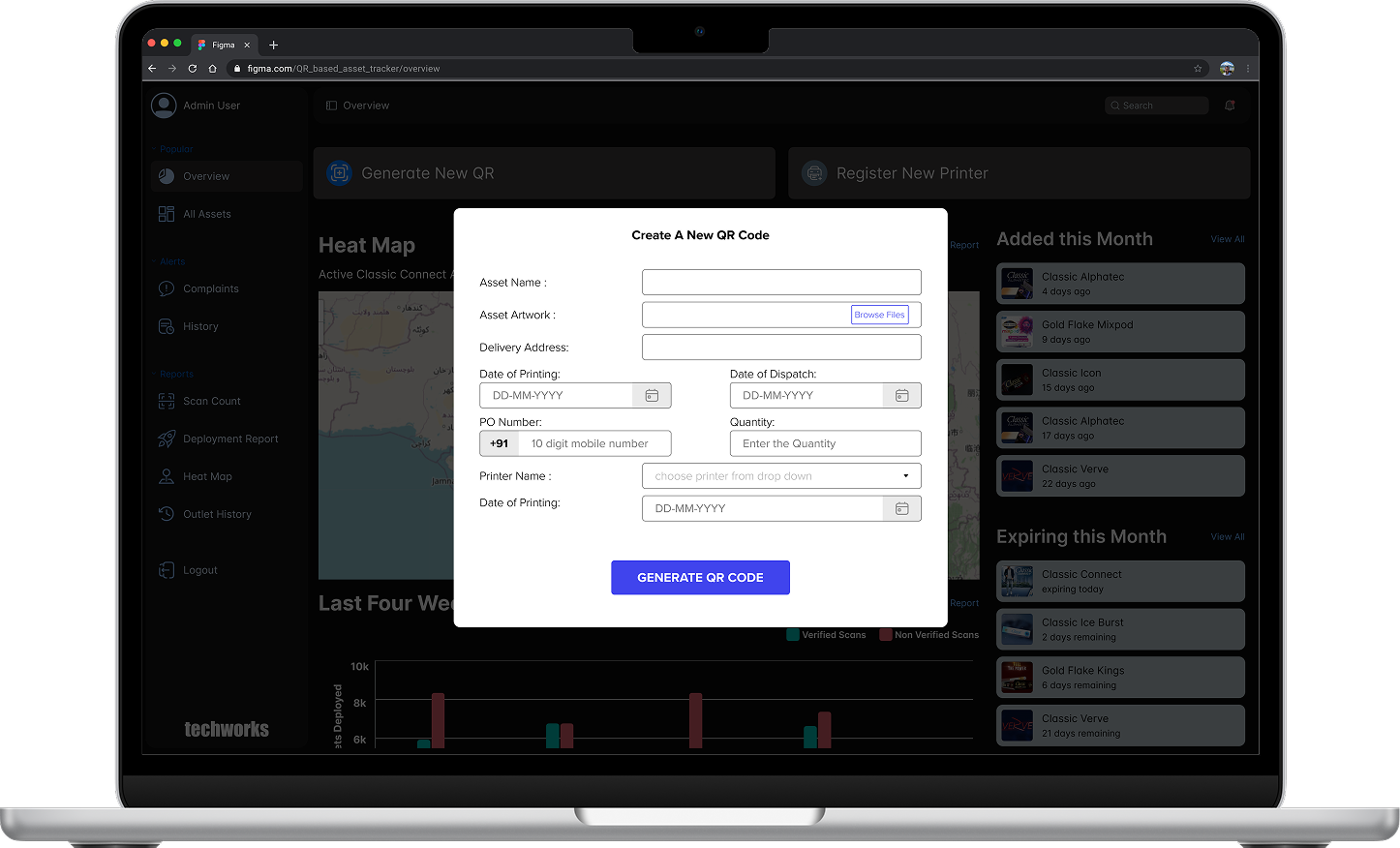
Real-Time Deployment Tracking: Scanning a QR code during deployment updates the system with location, date, and time.
Analytics & Reports: Generates detailed reports on deployment trends and inventory usage.
Inventory Insights: Tracks unused inventory at WDs.
Maintenance Alerts: Flags POSMs for refurbishment based on deployment duration.
Reporting - The Soul of the Dashboard
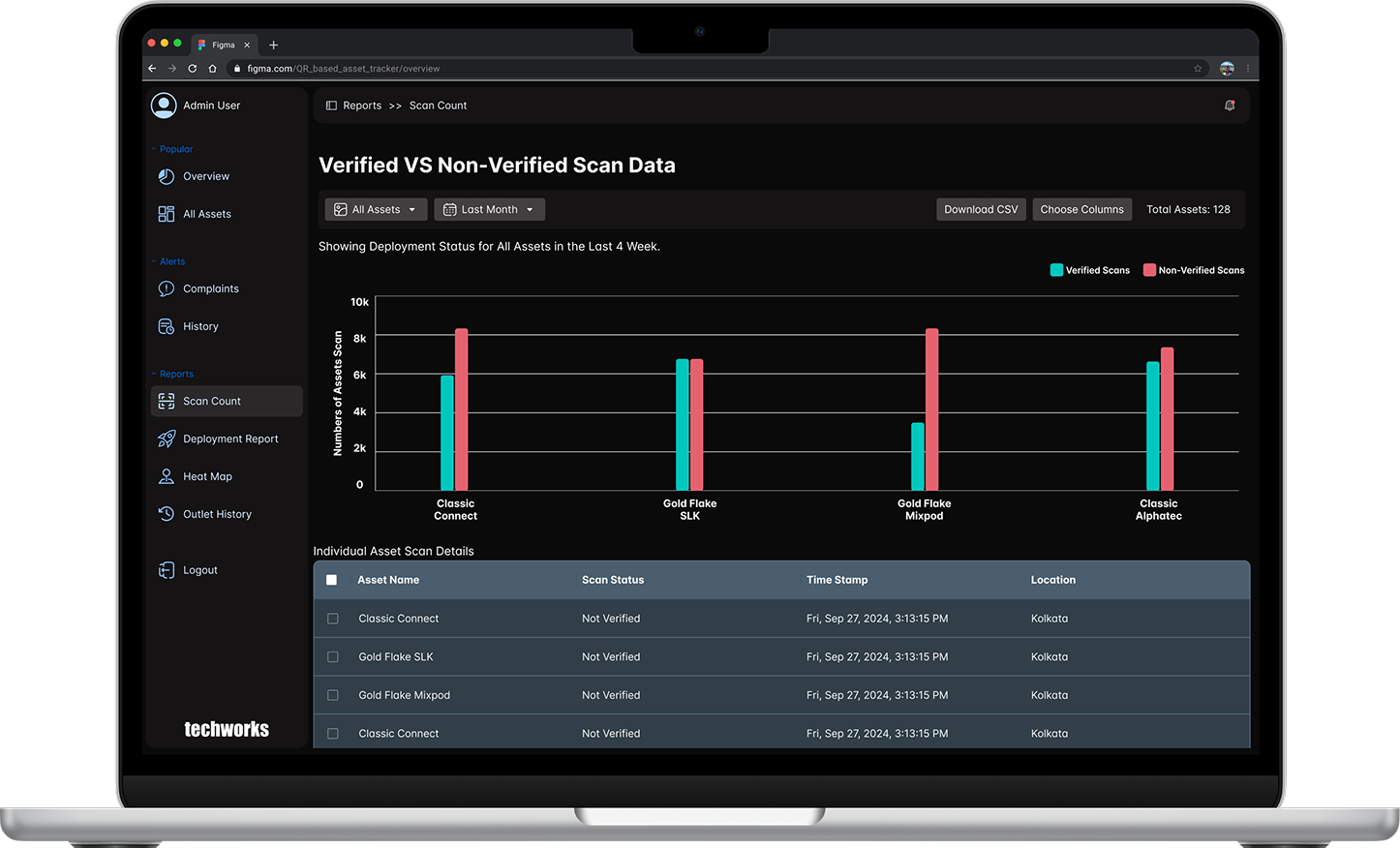
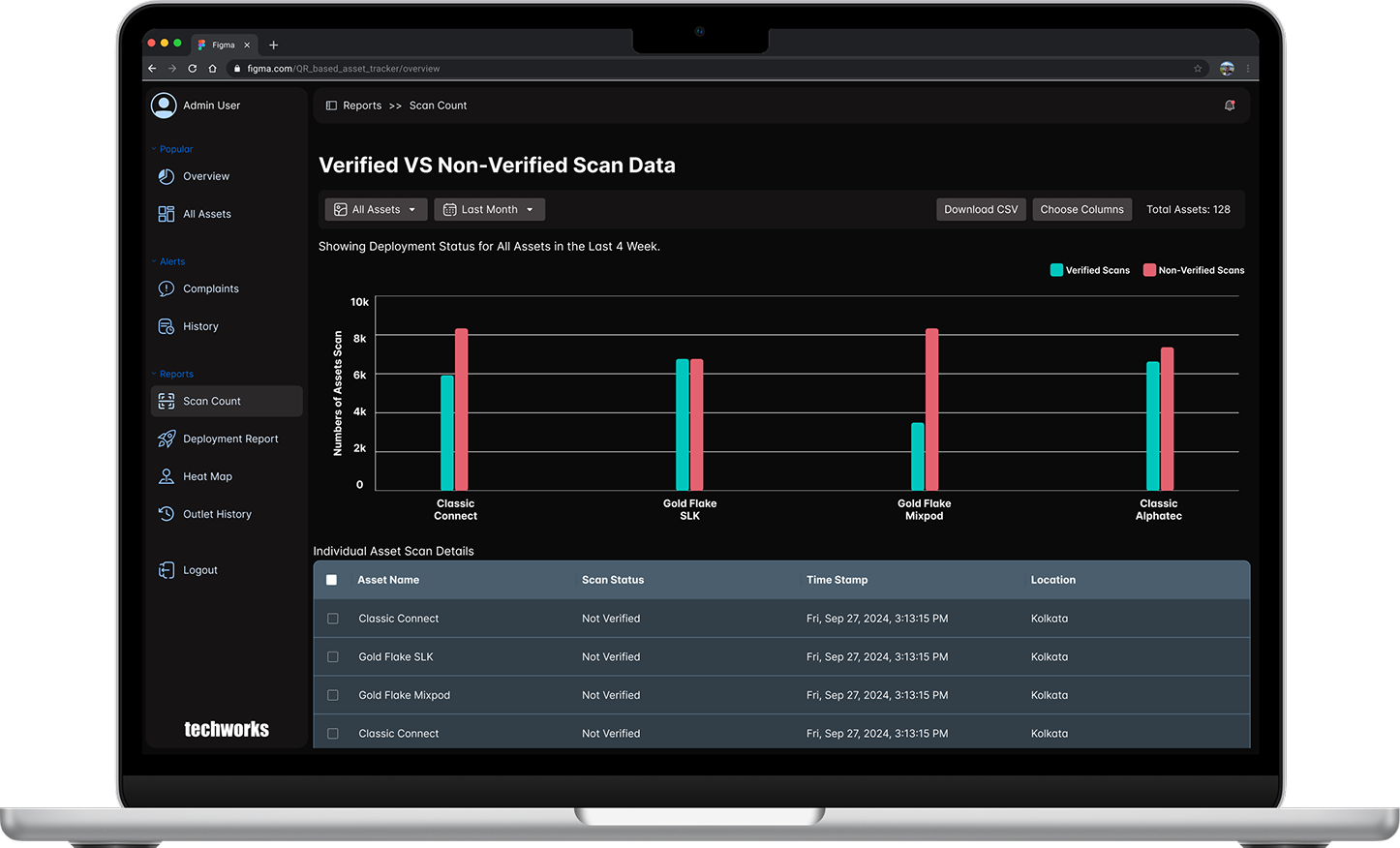
Scan Count Report
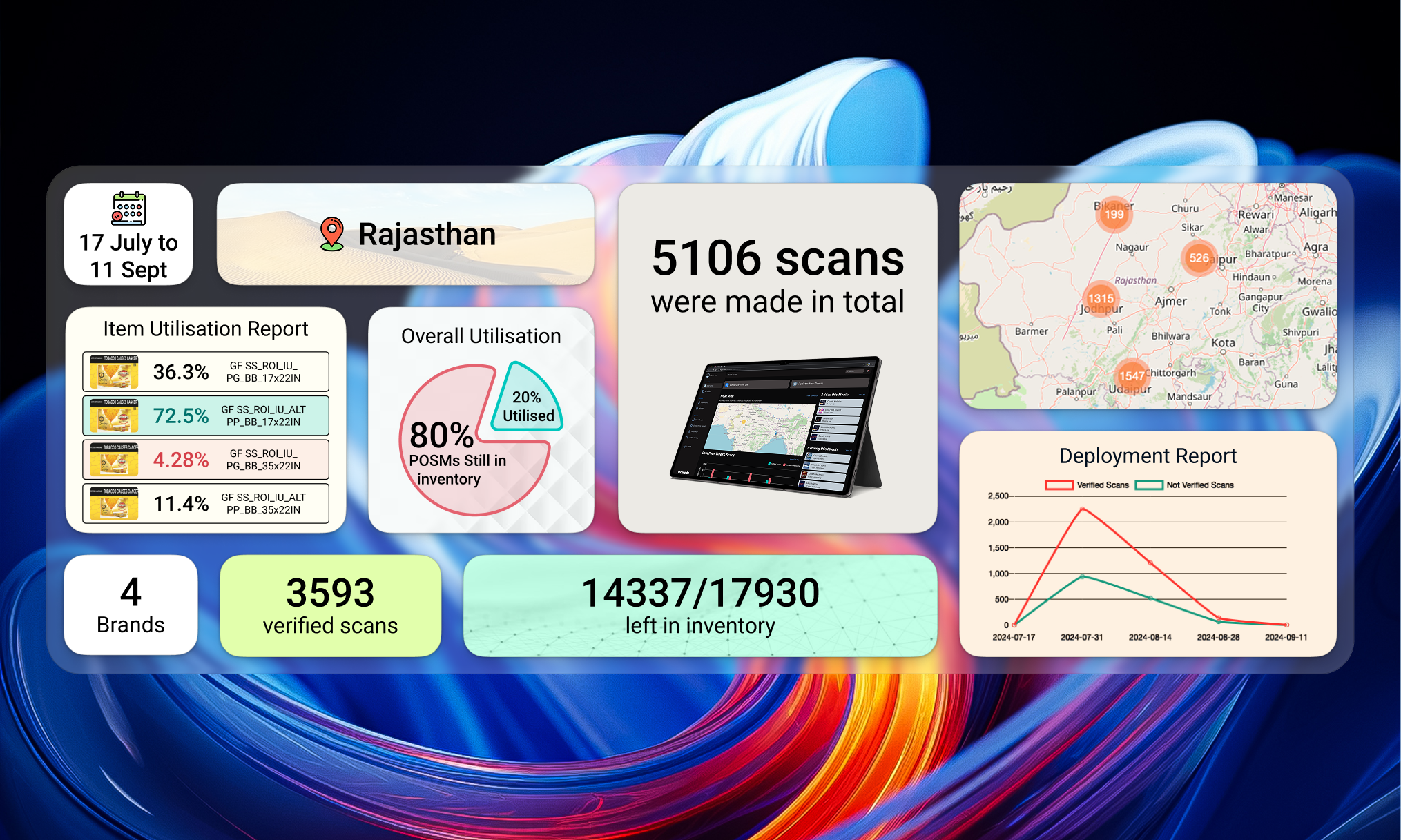
This report keeps track of all the verified and non-verified scans along with their time stamps and geo-location.This reports is the most important as the majority of analysis is done based on this only.
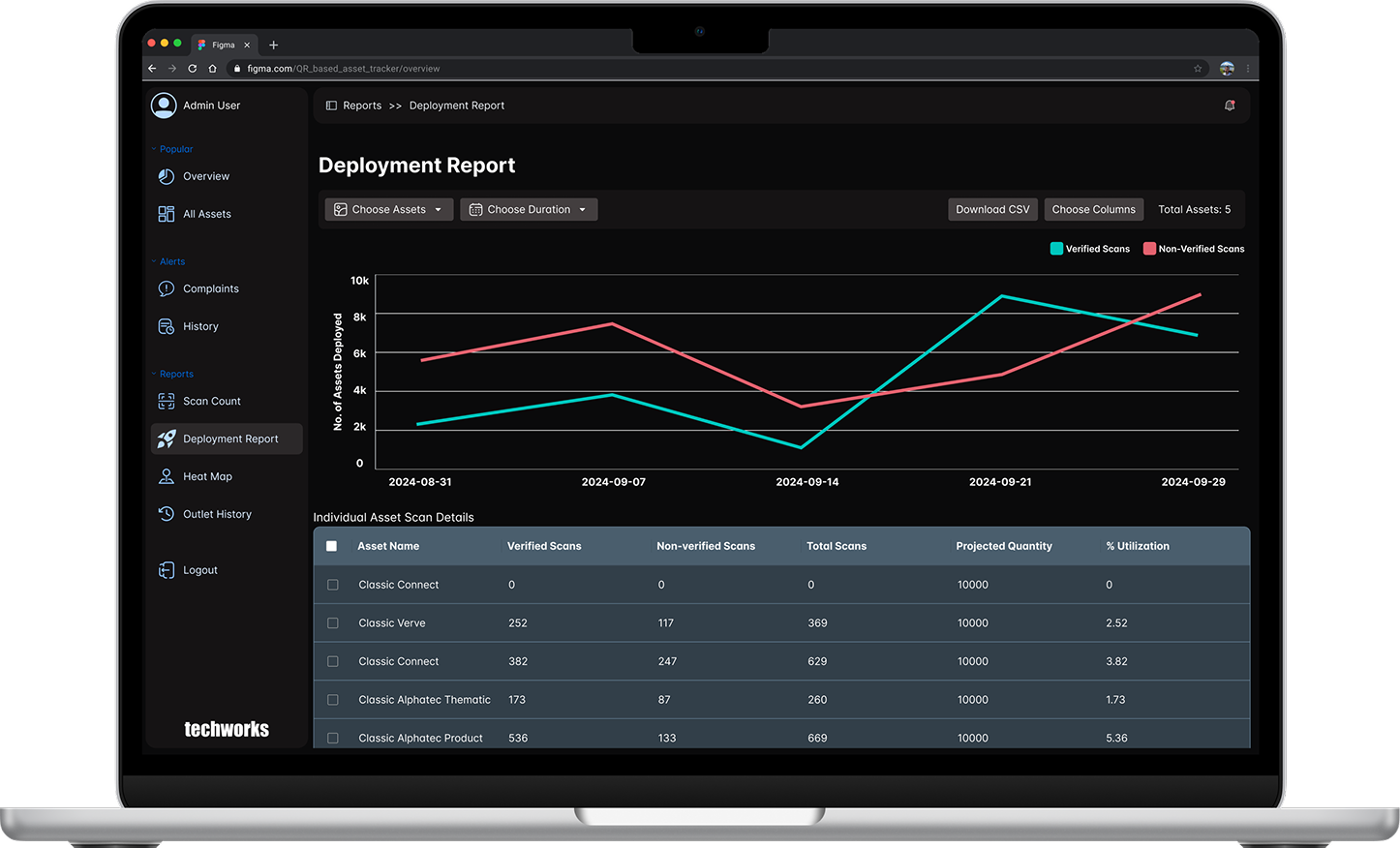
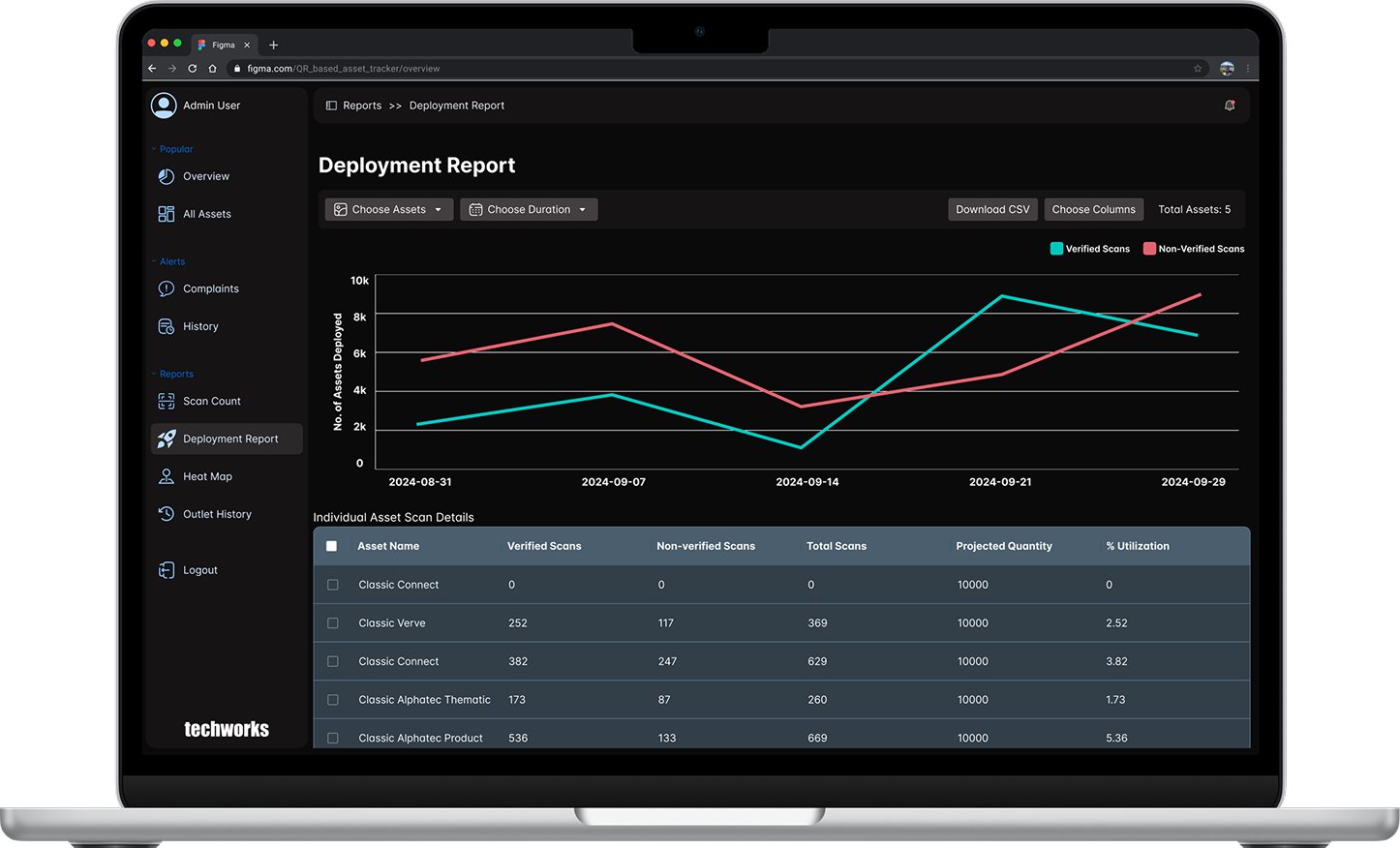
Deployement Report
The deployment report offers a comprehensive overview of the total assets deployed and the percentage of assets that have been utilized, providing valuable insights into operational efficiency. By default the page shows all assets deployed in the past weeks.
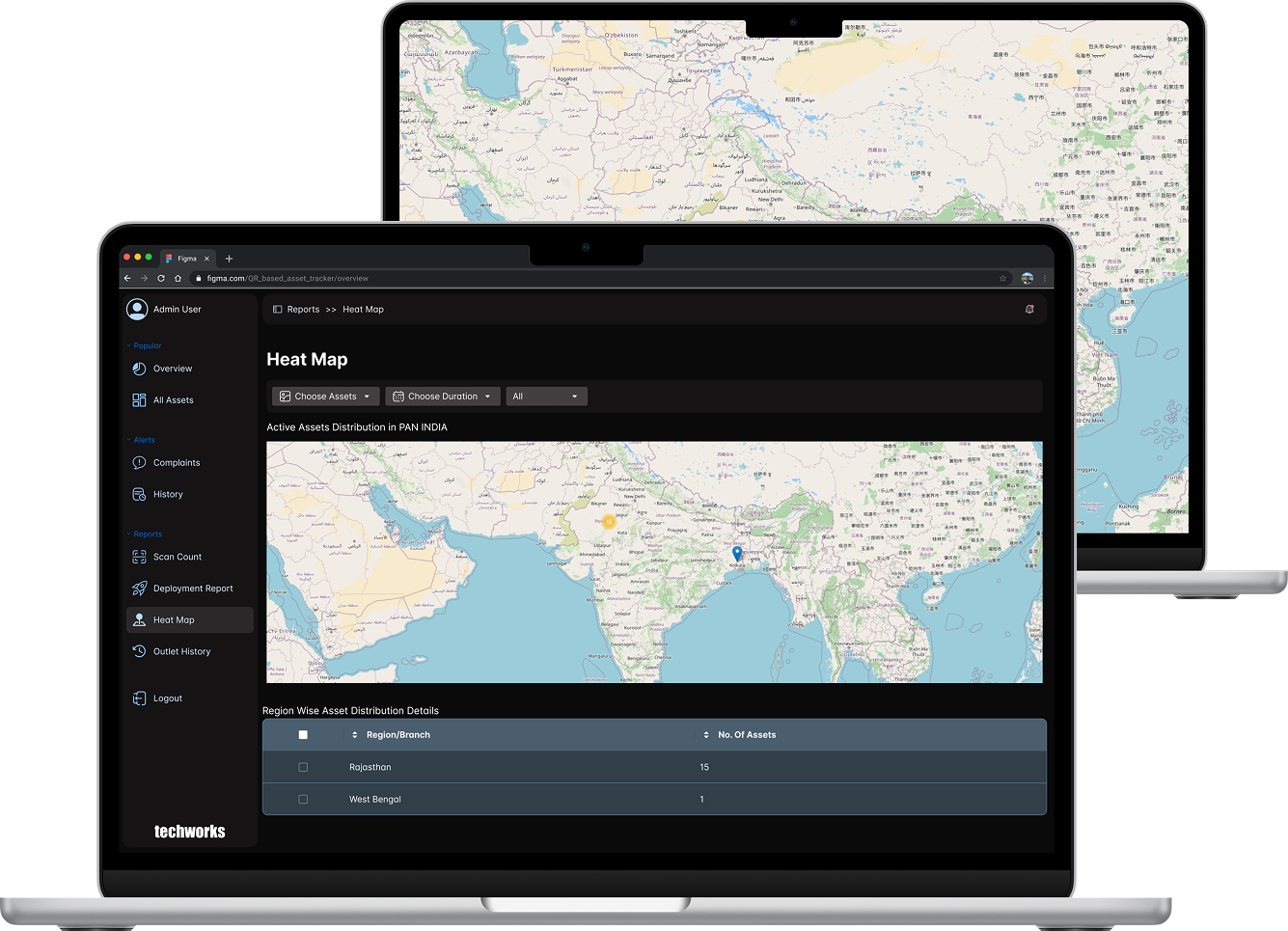
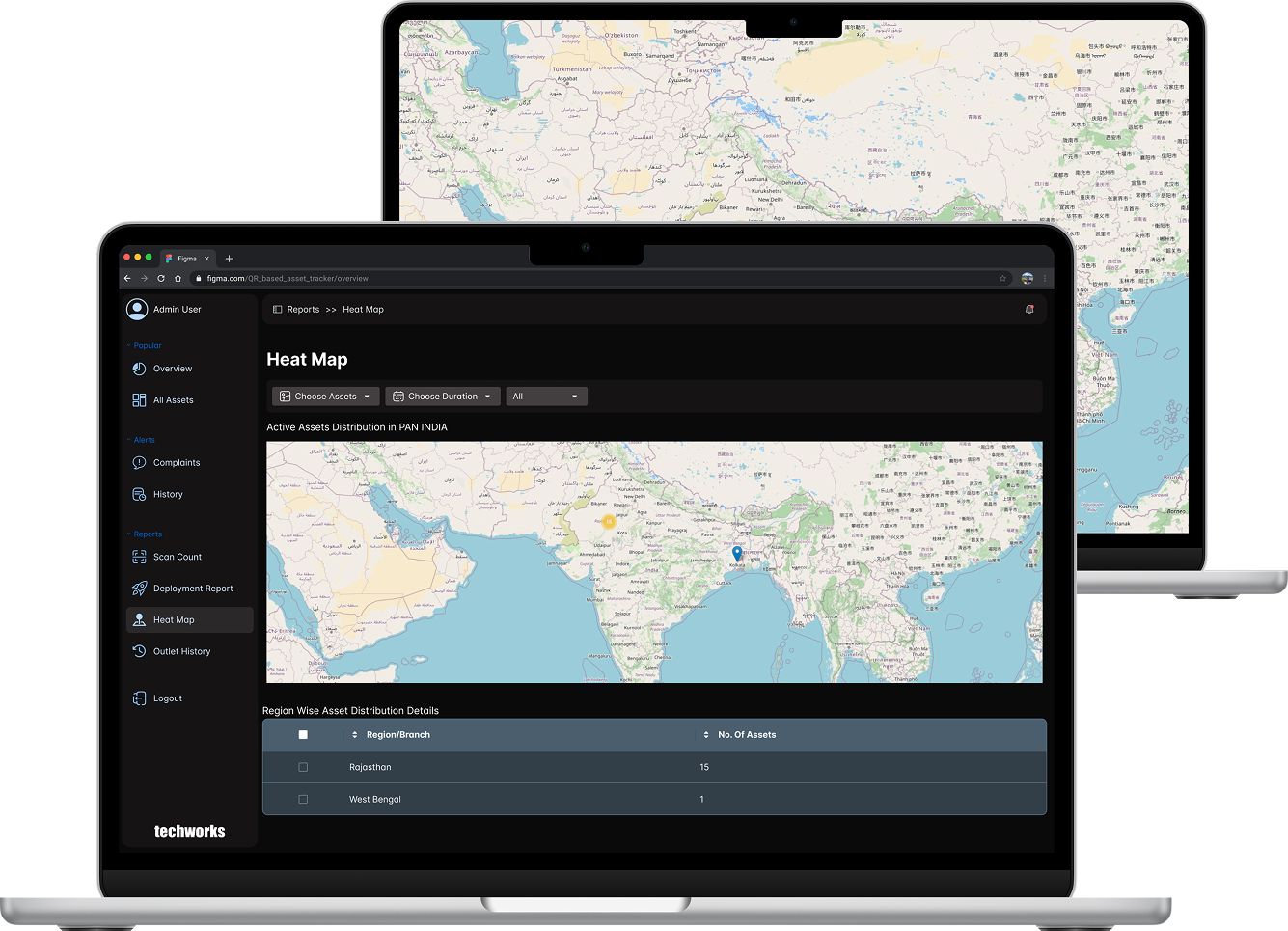
Heat Map Report
Heat maps serve as a robust method for visually representing the distribution of assets across different regions. Areas with darker shades signify elevated scan counts, indicating a higher level of asset deployment. If you wish to examine a particular asset within a specific date range, you can easily do so by selecting your preferences to generate the corresponding heat map.
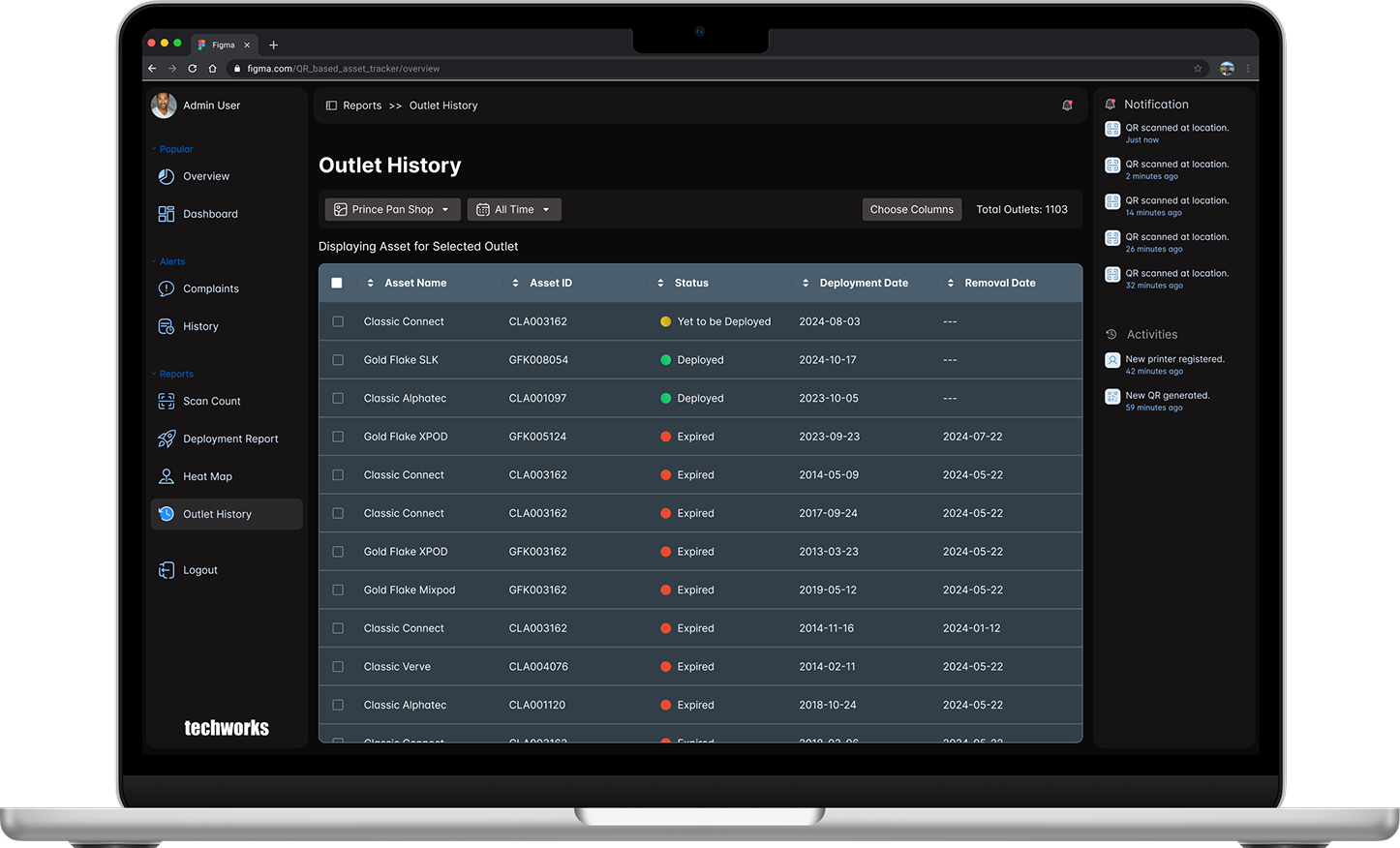
Outlet History Report
The Outlet history keeps track of all the asset that have been deployed to a particular outlet. To view the outlet history, choose an outlet and then choose the date range from the following options:
Last week
Last month
Last 3 months
All time
Custom Date Range
Experimentation & Feedback
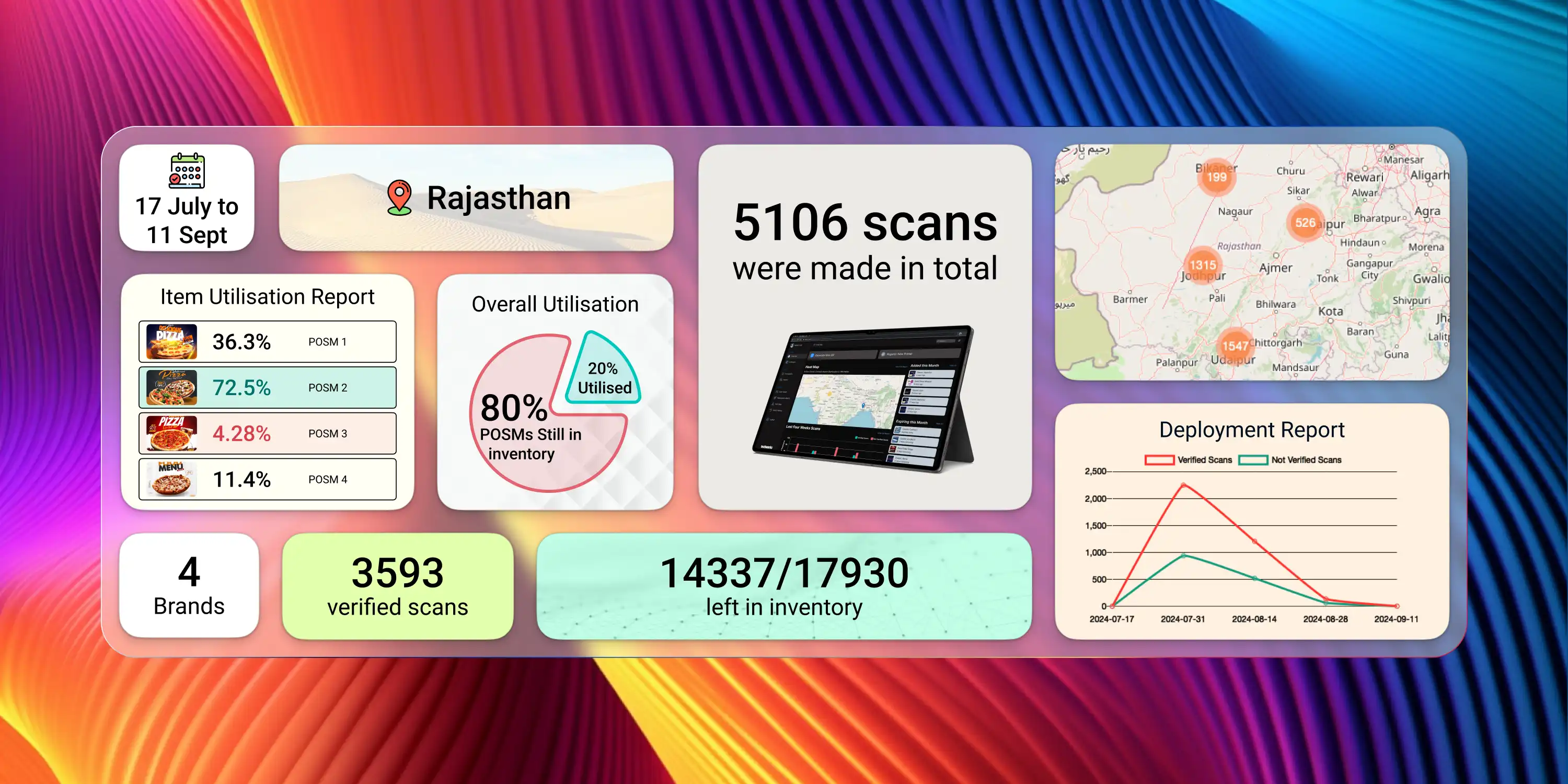
To test Codify, we printed 17,000 POSMs and deployed 5,000 in Rajasthan, India.
Deployment teams scanned QR codes during installation.
Feedback highlighted the system’s ease of use and the accuracy of deployment data.
Impact
Reduced resource wastage by tracking unused inventory.
Provided real-time insights into POSM journeys and brand-specific deployments.
Eliminated manual tracking processes, saving time for deployment team
Enabled companies to optimize future POSM campaigns based on analytics.
Conclusion
Codify is more than a dashboard; it is a catalyst for transformation in POSM management. By addressing key pain points, it empowers brands to make smarter, data-driven decisions, saving significant resources while enhancing retail marketing effectiveness.
Key Takeaways
Codify demonstrates the power of combining simplicity with technology to solve real-world problems. By enabling traceability, enhancing visibility, and streamlining processes, Codify delivers value across all levels of the POSM lifecycle.
Next Steps
We aim to:
Scale Codify to additional regions.
Integrate AI-driven insights for predictive analytics.
Explore RFID integration for enhanced tracking capabilities.